
Affiliate Link Rot: A Monitoring and Alert Framework with GA4, Search Console and a Crawler
Last reviewed: October 2026
On an affiliate site, the most expensive problems are the quiet ones. Rankings hold, traffic holds, and revenue drops because a tracking link changed, a campaign expired or an operator started showing a “not available in your country” page. Nothing in a rank tracker catches that. You find out when the monthly payment is smaller.
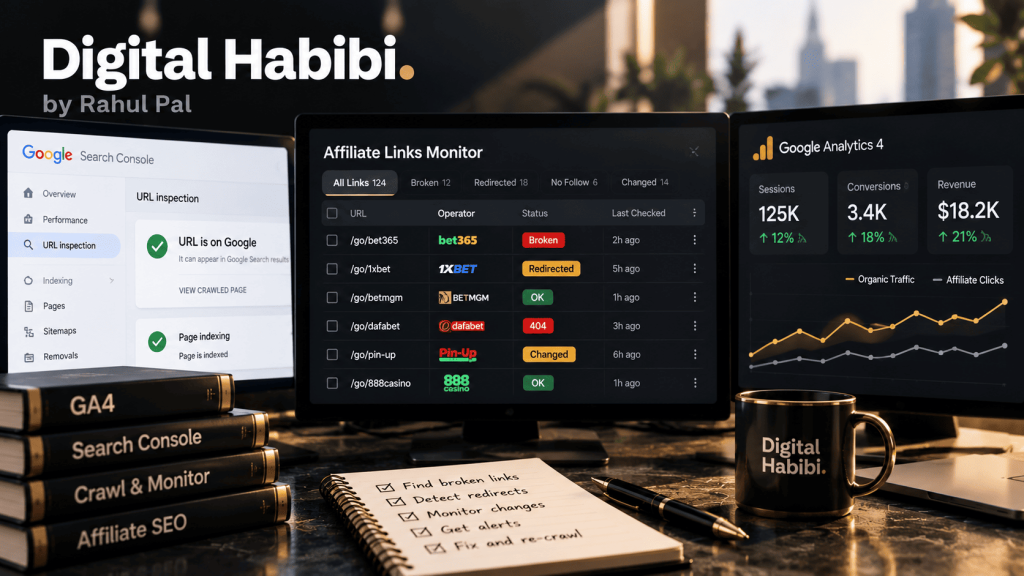
After years of running SEO on casino and betting affiliate sites, this is the failure I’d most like to never see again. It’s also why I’m building iGamingSEO.ai, a tool that monitors affiliate money pages for exactly this. But you don’t need a dedicated tool to start. This guide sets out the framework I use with what most teams already have: GA4, Search Console and a crawler.
The short answer
- Route every affiliate link through your own redirect path, and track each click as a GA4 event with the brand, market and page attached.
- Use GA4 custom insights for the alerts GA4 can raise: sudden drops in affiliate clicks, overall and for your biggest markets.
- Search Console has no custom alerts, so export its data, through the API or the BigQuery bulk export, and compare money pages against their own recent baseline.
- Run a daily check of every outbound affiliate link from the right country. Most link rot returns a normal 200 page, so status codes alone miss it.
- Read the signals together. A drop in affiliate clicks with steady search clicks points to a broken link or CTA, not a ranking problem.
What link rot looks like on an affiliate site
“Link rot” usually means 404s. On affiliate sites it’s broader, and the costliest kinds don’t look broken at all:
| Type | What happens | Why it’s easy to miss |
|---|---|---|
| Hard failure | The tracking link or landing page returns a 404 or 5xx error | Easy to catch, but only if someone checks |
| Soft failure | The link works but lands on a homepage, a login page or “not available in your country” | The server returns 200, so most checkers call it healthy |
| Redirect drift | Extra hops are added, or the chain ends on a different domain | Each hop works; the end result is wrong or slow |
| Offer drift | The bonus or terms on your page no longer match the operator’s page | Nothing is technically broken |
| Tracking loss | The click lands correctly but the affiliate ID is dropped somewhere in the chain | Players arrive; you just don’t get paid |
| Compliance rot | An operator loses or surrenders its licence in a market you still list it in | It’s a legal problem before it’s a technical one |
A framework that only watches for 404s catches the first row and misses the rest.
Layer 1: make every affiliate click measurable
Everything else depends on this. If affiliate links point straight at operator URLs, you can’t monitor them in one place or fix them quickly.
- Send every affiliate link through your own path, such as
/go/brand-market/, which redirects to the operator’s tracking URL. One place to update, one place to check. - Fire a GA4 event on every click. I name it
affiliate_clickand attach parameters for the brand, the market, the page type (review, comparison, bonus) and the position on the page. - Register those parameters as custom dimensions in GA4, so you can filter reports and alerts by them.
- Mark the event as a key event if it’s your main outcome. It makes the click visible in the reports people actually look at.
// Fires on any link to /go/ (Google tag / gtag.js)
document.addEventListener('click', function (e) {
  var a = e.target.closest('a[href*="/go/"]');
  if (!a) return;
  gtag('event', 'affiliate_click', {
    brand: a.dataset.brand,
    market: a.dataset.market,
    page_type: document.body.dataset.pageType,
    link_position: a.dataset.position
  });
});
If you use Google Tag Manager, the same thing is a click trigger on the /go/ path plus a GA4 event tag. Either way, test it in DebugView before you rely on it.
Layer 2: GA4 custom insights as the alarm
GA4 can email you when a metric changes. These are called custom insights, and they’re set up from the Insights panel. They’re more limited than most people expect, so it helps to know the constraints before designing around them:
| What GA4 custom insights can do | What they can’t |
|---|---|
| Check hourly (web data only), daily, weekly or monthly | Alert in real time; even hourly runs on processed data |
| Use a fixed threshold or GA4’s own anomaly detection | Combine two conditions or two metrics in one rule |
| Narrow to a segment of users, such as a country or source | Send to Slack or a webhook; email is the only channel |
| Run up to 50 rules per property | Skip quiet hours or treat weekends differently |
With those limits, I keep the GA4 layer small and focused. These are the rules I’d start with:
- Affiliate clicks, all users, daily, with anomaly detection. The broad safety net.
- Affiliate clicks for each of your top three markets, daily, with a fixed threshold, for example a fall of more than 40% against the previous period. Market-level drops are often the first sign that one operator’s link has broken.
- Key event rate on money pages, weekly, with anomaly detection. This catches slower erosion, such as a CTA that stopped standing out after a template change.
Anomaly detection needs history to work, and it can’t tell a real drop from tracking problems, consent changes or bot traffic. Expect a few false alarms in the first weeks, and tune thresholds rather than switching rules off.
Layer 3: Search Console tells you whether demand changed
GA4 tells you clicks on affiliate links fell. It can’t tell you whether fewer people arrived in the first place. That’s Search Console’s job, and Search Console has no custom alerting at all. It emails you about indexing and other issues it detects, not about your traffic patterns.
So the data has to come out. There are two practical routes:
- The Search Console API, pulled daily into a sheet or a small script. Fine for a few hundred money pages.
- The bulk data export to BigQuery, which Google introduced in February 2023. It sends a daily export of your performance data and suits large, multi-market sites.
Either way, the check I care about is the same: for each money page, compare yesterday’s clicks with the same weekday over the previous four weeks. Flag pages where clicks fell sharply while impressions held steady. That pattern points to something on the results page, such as a new AI Overview or a worse snippet, rather than lost rankings.
Layer 4: the daily link check, from the right country
This is the layer most teams skip, and it’s the one that catches soft failures. Once a day, follow every /go/ link to its final destination and record:
- The final status code and the number of redirect hops
- The final domain, compared with the operator you expect
- Whether the affiliate parameter survives to the end of the chain
- Page text that signals a problem: “not available in your country”, “page not found”, “promotion has ended”, a login wall
- The headline offer on the landing page, compared with the offer on your page
The detail that matters most is location. Operators geo-target, so a link checked from a server in Germany tells you nothing about what a player in Ontario sees. Run each market’s checks through an IP in that market. Screaming Frog’s scheduled crawls with custom extraction can do much of this; a small script with proxies can do all of it. This is the part iGamingSEO.ai automates, but it’s very doable by hand at a smaller scale.
Reading the signals together
No single alert tells you what’s wrong. Put the layers side by side and most incidents explain themselves:
| What you see | Most likely cause | First thing to check |
|---|---|---|
| Affiliate clicks down, search clicks steady | Broken link, hidden CTA or template change | The link check results and a manual test of the top pages |
| Affiliate clicks and search clicks both down | Ranking loss, update or demand change | Search Console by page and query; Google’s update dashboard |
| Search clicks down, impressions steady | Results page changed: AI Overview, snippet, new competitor | The live results for your main queries |
| Clicks steady, affiliate revenue down | Tracking loss or offer change downstream | The full redirect chain and the operator’s landing page |
| One market down, others fine | Operator geo-block, market rule change or local update | The link check from that market |
Prioritise by what’s at risk
When three things break at once, fix the one that costs the most. A simple score works: daily affiliate clicks on the affected links, multiplied by your earnings per click for that brand if you have it. If you don’t have revenue data, clicks alone are a reasonable proxy. Ten broken links on old guides matter less than one broken link at the top of your main comparison page.
A runbook for when an alert fires
- Confirm it’s real: check GA4 realtime and DebugView for tracking problems, and look for annotations about releases or consent changes.
- Check the link check results for the affected brand and market.
- Test manually from the right country, on mobile.
- Fix the redirect, swap the link or pause the listing. Your
/go/layer makes this a one-place change. - Annotate the date and the cause, so the next analyst doesn’t chase the same dip.
- Review a month later: did clicks and revenue recover?
Mistakes I see
- Monitoring only status codes, which misses every soft failure.
- Checking links from one country for a site that serves ten.
- Hard-coding operator URLs in content, so a fix means editing dozens of pages.
- Alerting on everything, so nobody reads the emails after the second week.
- Treating a fall in affiliate clicks as an SEO problem before checking the links.
- Leaving brands listed in markets where they no longer hold a licence.
Frequently asked questions
Can GA4 send alerts to Slack?
Not natively. GA4 custom insights send email only. You can forward those emails to a Slack channel, or use the GA4 API or BigQuery export with your own alerting if you need more.
Does Search Console have custom alerts?
No. It emails you about issues it detects, such as indexing problems, but not about traffic changes you define. Export the data through the API or BigQuery and run your own comparison.
How often should affiliate links be checked?
Daily for money pages in your main markets. Weekly is usually enough for older content with few clicks.
Why do broken affiliate links return a 200 status?
Because the operator’s site is working; it’s just showing the wrong page, such as a homepage or a regional block notice. That’s why the check needs to read the final page, not just its status code.
Do I need a paid tool for this?
Not to start. GA4, Search Console, a crawler with scheduling and proxies in your main markets cover most of it. Dedicated tools save time once you’re monitoring many sites or markets.
Final word
Most affiliate sites watch rankings closely and revenue paths hardly at all, which is backwards. Rankings rarely disappear overnight. Links break overnight all the time. Instrument your clicks, keep a small set of alerts you actually read, check your links from the countries your players are in, and read the signals together. You’ll catch most problems in a day instead of a month.
If you’d like help setting this up for your sites, get in touch. For more on money pages, see the complete iGaming SEO guide.
I work only with brands licensed in the markets they serve, in markets where online gambling is legal. This guide is for SEO and analytics professionals and isn’t aimed at players.
Sources
- MetricsWatch: GA4 custom alerts, setup and limits (2026)
- Bounteous: A practical guide to GA4 anomaly detection (September 2026)
- Google Analytics Help: Analytics Insights
- Google Search Central: Bulk data export for Search Console (February 2023)
- Search Engine Land: Search Console adds daily bulk data exports to BigQuery